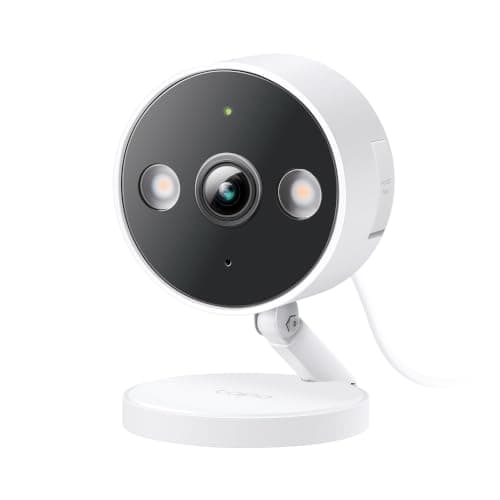
The best Wyze alternative for most people is the Tapo 2K+ wired camera, which is also the budget pick. But the honest starting point is what Wyze got right, because it is more than the rest of this category usually admits.
What Wyze is genuinely good at
Wyze made the cheap camera competent. Before it, the bottom of this market was 720p plastic with a cloud account attached. The Wyze Cam v4 does 2.5K, it is rated for indoor or outdoor use, and it records to a microSD card without a plan. Nothing at that price did any of that a few years ago, and the whole budget tier — including two of the cameras on this page — exists in the shape it does partly because Wyze dragged it there.
The range is unusually broad for the money. Cameras, a wired doorbell, a battery doorbell, entry sensors and a Sense Hub, all in one app and all priced so that covering a whole house is not a major purchase. Very few brands let you do that at this level, and it is a real reason people end up with five Wyze devices rather than one.
The community is large and active. Third-party firmware, integration projects and a deep well of troubleshooting threads mean that an unusual problem usually already has an answer written by somebody. That is worth something that spec sheets do not capture.
We rate Wyze hardware highly enough that the Wyze Cam v4 is still a pick on our budget camera ranking and the Wyze doorbells appear on our chime-included doorbell page. This page is not an argument that Wyze is bad. It is for the specific readers who have already decided to look elsewhere, and it is worth being precise about why they usually have.
The two reasons people look for an alternative
1. The published security incident history. Wyze has publicly disclosed security incidents. That is a documented fact rather than a rumor, and it is the single most common reason readers tell us they are switching. Whether it should change your decision depends entirely on where the camera points: for a driveway or a garage the stakes are low and the value is excellent, which is exactly why we still recommend Wyze in those positions. For a bedroom, a nursery or a front door, a buyer who has read that history and wants a different brand is making a reasonable call, not an emotional one.
2. The better detection features sit behind Cam Plus. Local card recording is genuinely free. The smarter event detection is not, and the gap between what the hardware can do and what it does without a plan is wider than the sticker price suggests. Several cameras on this page include person, vehicle or package detection with no plan at all, and for a buyer who intended to avoid a subscription that is the whole argument.
Neither reason is about picture quality. Wyze's imaging is competitive for the money and we are not going to pretend otherwise. If your only complaint is price, there is no alternative on this page that will save you meaningful money — the bracket is the bracket. Switch for the ecosystem, the plan-free detection or the brand record, not for the specification.
The swaps, matched to what you are replacing
Alternatives pages that list five cameras generically are not much use, because the right answer depends on which Wyze product is coming off the wall. The table matches them up.
Compiled from TP-Link Tapo, TP-Link Kasa, Aqara and eufy product and support documentation, November 2026. Prices appear only on the cards above, pulled live and dated November 24, 2026; no price appears in this table.| Replacing | Buy | What you gain | What you give up |
|---|
| Wyze Cam, indoor or outdoor | Tapo 2K+ Wired | Continuous 24/7 local recording, no plan-gated basics | Wyze's wider accessory range |
|---|
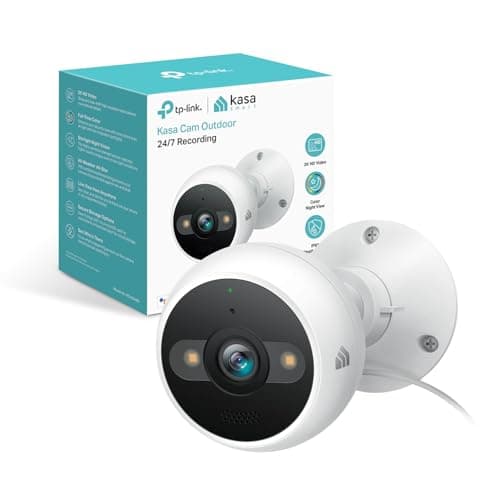
| Wyze Cam on an outdoor wall | Kasa 2K+ Outdoor Wired | Built-in siren, starlight color night vision | Indoor flexibility; this one is wired-outdoor only |
|---|
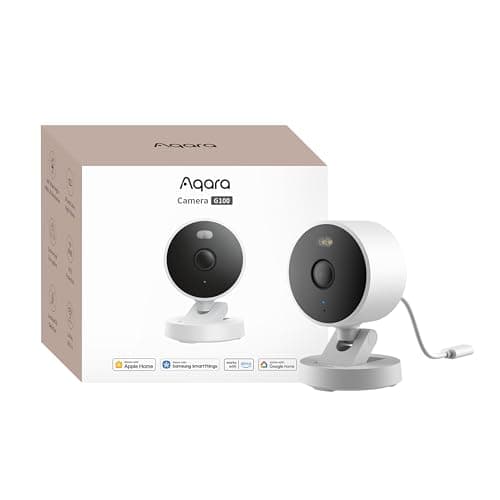
| Wyze Cam in an Apple household | Aqara Camera G100 | HomeKit Secure Video plus free local card recording | 2.4GHz Wi-Fi only; Apple caps the stream at 1080p |
|---|
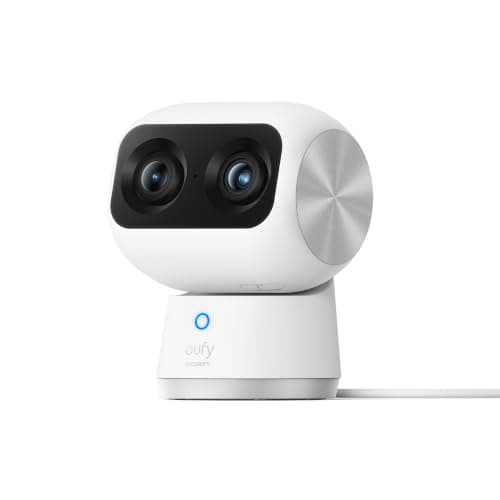
| Wyze Cam indoors, as an upgrade | eufy Indoor Cam S350 | 4K with a telephoto second lens, free local playback | Indoor only, and a higher price bracket |
|---|
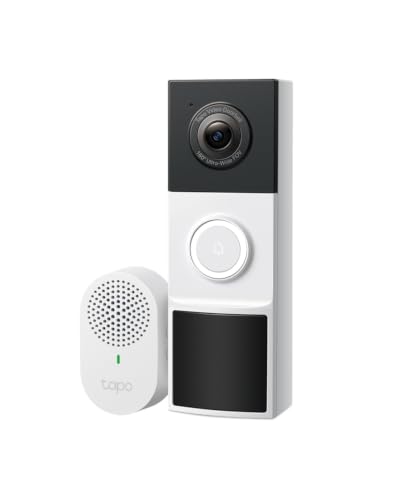
| Wyze Video Doorbell | Tapo D210 | Indoor chime in the box, no plan for storage or AI | Person detection only; no vehicle or package alerts |
|---|
The picks in detail
Tapo 2K+ Indoor/Outdoor Wired — the direct swap and the budget pick. It occupies the same bracket as the Wyze Cam v4 and does the thing that bracket is bought for: continuous recording to a card you own, with no subscription for the recording itself. Indoor or outdoor rating means one model covers both jobs. The cons are real — it needs a socket within reach of the mounting point, and 2K rather than 4K limits distant detail, so it is right for a porch or a hallway and weak for reading a plate at the end of a drive. For the full head-to-head against the brand it is replacing, we have Wyze vs Tapo, which ends in a decision rule rather than a winner.
Kasa 2K+ Outdoor Wired — for an exterior wall. Same TP-Link stable, built for outside, and it adds the two things that change how an outdoor camera behaves: a built-in siren, so somebody on the path gets a response rather than only being filmed, and starlight color night vision, which avoids a floodlight blazing at the neighbors all night. It records continuously to local storage with no plan. Cons: it is wired, full stop — no battery variant, no PoE option — and its person detection is basic next to the AI on more expensive cameras.
Aqara Camera G100 — for an Apple household. This is the pick that does something Wyze cannot: full HomeKit Secure Video support, so it appears as an ordinary camera tile in the Apple Home app, while still writing continuously to its own microSD card up to 512GB with no plan of any kind. On-device person detection means the useful half of the AI is free. Three honest cons: it is 2.4GHz Wi-Fi only, so a far-corner mount depends on how far that band actually reaches; Apple Home caps the stream at 1080p, so the 2K sensor's extra detail is only visible in Aqara's app, an RTSP client or on the card; and it is powered over a 5V USB lead, so an outdoor position needs a cable route and a weatherproof supply. One more trap worth naming: despite the family branding the G100 is not a Thread border router and not a Zigbee hub, so it will not bring Aqara sensors online.
eufy Indoor Cam S350 — the indoor upgrade. If the Wyze was indoors and you want to spend more rather than the same, this is where the money goes: 4K with a second telephoto lens and 8x zoom, 360-degree pan and tilt, and local card recording with full playback and no plan. Cons: it is indoor only, it sits in a clearly higher bracket, and it repositions rather than closing a lens cover — if a physical privacy shutter is your requirement, this is not the camera.
Tapo D210 — if the Wyze product was the doorbell. It arrives complete: the indoor chime is in the box, which is the most commonly cut cost in cheap doorbells, and TP-Link states that local storage and AI detection need no subscription, with microSD documented to 512GB. Cons, stated plainly: person detection only — vehicle and package alerts live on pricier Tapo doorbells — it is battery-only, and TP-Link publishes neither a weather rating nor a battery capacity for this model, which are two numbers a careful buyer would want.
What switching actually costs you
The app consolidation. A Wyze household often runs cameras, a doorbell and sensors in one app. Replacing one device with another brand means two apps, two notification styles and two sets of settings. That is a genuine daily annoyance and the main reason partial switches disappoint people. If you are going to move, it is usually better to move a whole layer — all the cameras, or the doorbell — than one device.
The sensors do not travel. Wyze entry sensors need the Wyze Sense Hub, so they are not reusable with any camera on this page. If the sensors are part of what you are replacing, the protocol-led options that are not tied to one vendor are in best Zigbee door and window sensors and sensors without a subscription.
The accessory range. Wyze sells mounts, adapters and odd-shaped brackets for very little money. None of the brands here matches that breadth, so check that a mount exists for your specific position before ordering.
If you want the brand-versus-brand view rather than a leaving-Wyze list, three head-to-head pages cover it: Wyze vs Tapo, Wyze vs Blink and Ring vs Wyze. Each ends in a decision rule rather than a verdict.
How to switch without losing coverage
Keep the mounting points. You already know where the cameras need to be, which is the hard part of this job. Check the new camera's mount pattern before ordering and reuse the holes where you can — most of these use a ball joint on a plate, but the plate dimensions differ.
Pull the footage you care about first. Anything on a Wyze card or in a Wyze cloud tier is not coming with you. Export what matters before you decommission anything, and cancel the plan only after the replacement has been recording for a week.
Buy one, not five. Live with the replacement for a week in the position you care about most before replacing the rest. App behaviour, notification quality and night image are things you can only judge in your own house, and they vary more between brands than the specifications suggest.
Buy the card at the same time. Every camera here records locally and none of them includes a card, so a camera with no card in it records nothing. Check the maximum capacity the manufacturer documents — it ranges from 128GB to 512GB across these brands — and choose a high-endurance card if the camera will record continuously. What that costs in practice is in local storage vs cloud, and the continuous-recording field is in cameras for 24/7 recording.