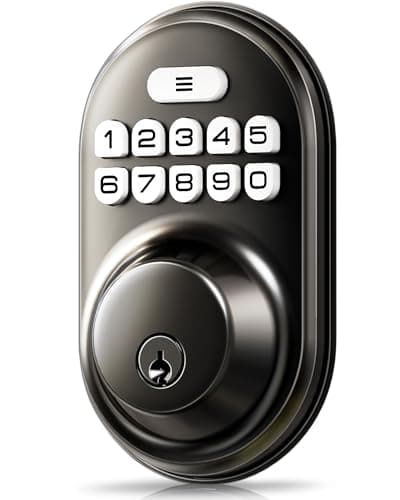
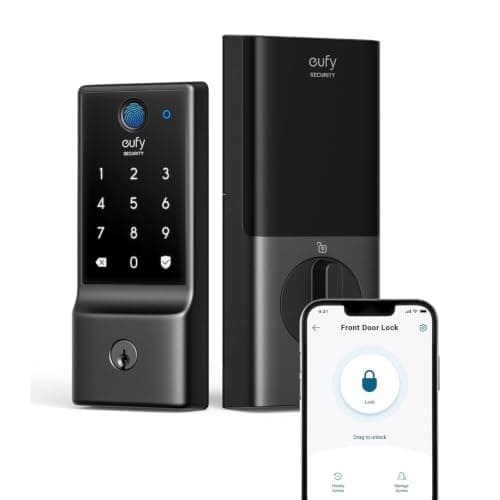
The best smart lock without a subscription is the eufy Smart Lock C220: fingerprint, code and key entry with Wi-Fi built into the lock and no plan for anything, remote unlock included. The budget pick is the Veise Keyless Entry Keypad Deadbolt. Here is the part that makes this question worth asking at all.
Smart locks are the one category on this site where the honest headline is reassuring: most of them have no subscription. Unlike a camera, a lock produces no video to store, so there is nothing for a vendor to charge rent on. That is why our five-year subscription cost table is dominated by cameras and doorbells, not deadbolts.
But “most” is not “all”, and the exceptions are not obvious from a product listing. There are exactly three places a monthly charge can enter a smart lock, and knowing them is the whole skill:
The three places a lock fee hides
1. A camera built into the lock. This is the big one. The moment a lock has a lens, it produces footage, and footage means storage — which means a plan, or a base station you have to buy. Every lock on this page is deliberately camera-free. If you want the camera, read our video lock rankings with the running-cost column open, because that is where the fee lives.
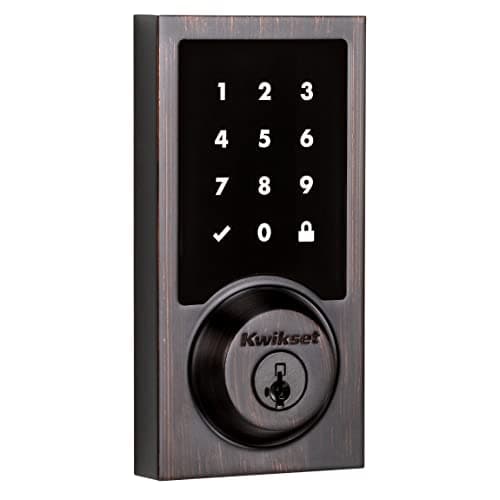
2. A vendor cloud in the remote-access path. A Bluetooth lock reaches your phone from the doorstep and no further. Everything beyond that — unlocking from work, a notification when a code is used — travels through somebody's servers, and whoever owns those servers has the ability to charge for them later. A lock whose radio is Z-Wave, Zigbee, Thread or Wi-Fi-direct-to-your-hub has no such owner. The SmartCode 916 is on this page precisely because of that: it answers to your hub, and there is nothing to shut down or start billing for.
3. A gated history or guest-code tier. Some brands separate “the lock works” from “you can see who opened it and when, going back a month”. If activity history or scheduled guest codes matter to you — a short-term rental, a cleaner, a dog walker — check that specific feature on the manufacturer's own page before buying, not the general claim that the lock needs no subscription. Our guest-code guide covers what each approach actually gives you.
A hub is hardware, not a subscription. Three picks here need something else in the house: the SmartCode 916 needs a Z-Wave hub, the Aqara U100 needs an Aqara or Apple home hub for remote access, and the ULTRALOQ Bolt SE needs a Thread border router for its Matter mode. That is a one-off purchase you own, not a recurring charge — and in the case of Z-Wave and Thread it is what removes the vendor from the path. We count it in the buying decision, not in the fee column.
The best no-fee smart locks, compared
The columns are the three fee routes above, plus the one piece of infrastructure each lock assumes you have.
Compiled from eufy, Kwikset, Yale, Aqara, ULTRALOQ and Veise product and support documentation, November 2026. Prices appear only on the cards above, pulled live and dated November 24, 2026.| Lock | Camera in the lock | Remote access path | Plan for any function | Hardware it assumes |
|---|
| eufy Smart Lock C220 | No | Wi-Fi inside the lock | None, remote unlock included | Nothing |
|---|
| Kwikset SmartCode 916 | No | Your own Z-Wave hub | None, no vendor cloud at all | Z-Wave hub |
|---|
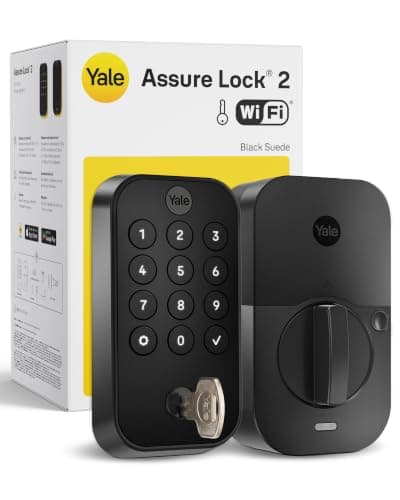
| Yale Assure Lock 2 (Wi-Fi) | No | Wi-Fi inside the lock, swappable module | None for codes, app unlock or alerts | Nothing |
|---|
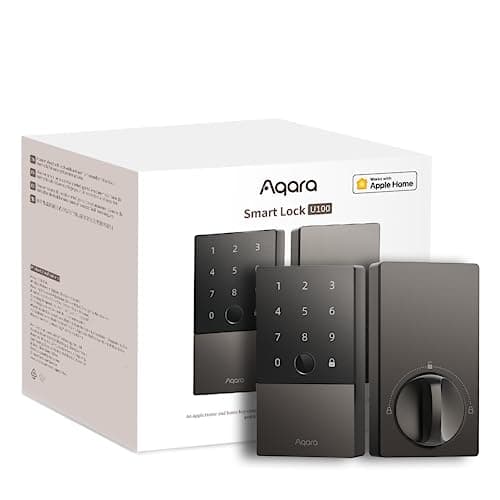
| Aqara Smart Lock U100 | No | Bluetooth, via an Aqara or Apple home hub | None | Aqara hub, Apple TV or HomePod |
|---|
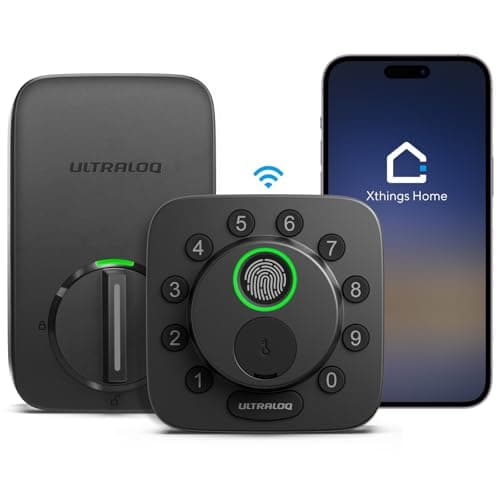
| ULTRALOQ Bolt SE | No | Matter over Thread, or Wi-Fi | None | Thread border router for Matter mode |
|---|
| Veise Keypad Deadbolt | No | None — no radio | None, there is no service | Nothing |
|---|
Which one you should actually buy
You want an app and no homework: the eufy C220. Wi-Fi is in the lock, so there is no bridge to buy and site, and eufy does not gate lock features behind a plan. The cost is battery life — Wi-Fi in a battery lock is the heaviest draw there is.
You already run Home Assistant, Hubitat or SmartThings: the SmartCode 916. Z-Wave draws far less power than Wi-Fi, the lock is controlled entirely on your own network, and it is one of the best-documented devices in those communities. Buying a hub purely to run one lock, though, is a bad trade.
You want the connectivity to outlive the lock: the Yale Assure Lock 2. The radio is a card; a Matter or Z-Wave future is a swap rather than a new purchase.
An Apple house: the Aqara U100, for Home Key from the Wallet, with local automations that need no manufacturer account.
You want Matter for as little as possible: the ULTRALOQ Bolt SE, which is the cheapest genuine route onto a Matter fabric and still has a fingerprint reader. Check you have a border router first.
The least money, and the most literal answer: the Veise. It is the budget pick because it is the cheapest product here that does the job — keyless entry with auto-lock and anti-peek code entry on a door that previously only took a key — and because a lock with no radio cannot be subscribed to even in principle. What you give up is everything remote: it cannot tell you the door opened. A contact sensor next to it is the cheap fix for that.
How to check a lock for hidden fees before you buy
Three checks, in this order, on the manufacturer's own site rather than a retail listing. First, look for a lens. A camera is the single reliable predictor of a plan in this category. Second, find the page that lists what remote access requires — not the marketing page, the support article. If remote unlock runs through the brand's servers, note who owns the servers, because that is who can change the terms. Third, search the brand's own site for “history” and “guest”. Those two features are the most commonly tiered, and they are the ones people discover after the lock is on the door.
Then count the hardware honestly. A lock that needs a hub is not more expensive per month, but it is more expensive on day one, and the comparison is only fair if you include it. A $160 Z-Wave lock plus a hub you do not own is a worse deal than a $90 Wi-Fi lock for someone with one door and no other smart devices — and a much better deal for someone with twenty, because the hub cost is already paid and the Z-Wave radio will outlast two sets of batteries.
Finally, remember what a subscription-free lock does not protect you from: a brand walking away. The most durable answer is a lock speaking an open protocol — Z-Wave, Zigbee or Matter over Thread — because those keep working through your own hub whatever the manufacturer decides. That reasoning is laid out in Z-Wave vs Zigbee vs Matter and smart lock security risks by protocol.