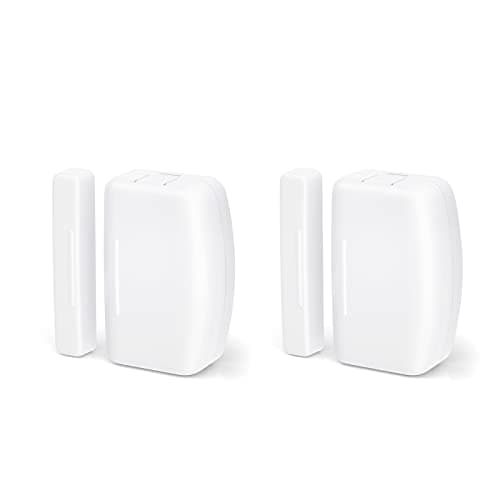
The best Zigbee door sensor for most houses is the THIRDREALITY Zigbee Contact Sensor, because it is the one that does not decide your smart home for you. The budget pick is the Aqara Zigbee three-pack. What follows is the part the protocol badge on the box does not tell you.
Why "Zigbee" is not the decision people think it is
Zigbee is a low-power mesh radio, and on paper that makes every Zigbee device interchangeable. In a shopping cart it does not work out that way, because a Zigbee sensor is an endpoint: it has no Wi-Fi, no internet connection and no app of its own. Something has to receive its messages, decide what they mean and tell you. That something is a coordinator, and which coordinators a given sensor is supported on is the single most consequential thing about it.
Two shapes exist in this category, and the price difference between them is small while the consequence is large.
Vendor-anchored Zigbee. Aqara's sensors are the best-known example. They are genuine Zigbee 3.0 hardware, they are small, cheap and well built, and the supported path is an Aqara hub. Buy them and you are buying into Aqara's coordinator, its app and its way of exposing devices onward to Apple Home, Alexa or Google. That is not a criticism — Aqara's hubs are good, and the newer ones bridge onward to Matter — but it is a decision you are making at the sensor, not at the hub.
Coordinator-agnostic Zigbee. THIRDREALITY's contact sensor is plain Zigbee with no manufacturer hub requirement at all. It is explicitly documented as working with Home Assistant, SmartThings and Hubitat, which means the sensors on your doors are not hostages to a company's product roadmap. Nothing can be discontinued out from under you, because there is no manufacturer in the path to discontinue it.
Zigbee or Thread? They solve the same problem in different decades. Zigbee is mature, cheap and everywhere; Thread carries Matter, which lets a sensor join Apple Home, Google Home or SmartThings as a standard device without a vendor bridge. For a door sensor specifically, Zigbee is still the cheaper and better-supported choice today and Thread is the more future-proof one — the full comparison is in Z-Wave vs Zigbee vs Matter, and the Thread option is ranked in our no-fee sensor roundup.
What we ranked on
Four criteria, in the order they matter for a device that will sit on a door frame for five years.
1. Coordinator freedom. Can this sensor join a coordinator you choose, or does the manufacturer's hub come with it? This is weighted first because it is the only criterion you cannot change later without replacing hardware.
2. Cost per opening. Not cost per sensor. A real perimeter is six to twelve openings on a typical ground floor, not two, and multi-packs change the arithmetic completely. A page that compares single-unit prices is comparing the wrong number.
3. What the sensor actually detects. A plain reed switch tells you the door opened. A combined contact-and-vibration unit also tells you the frame was struck, which is the attack a contact sensor misses entirely: breaking the pane and reaching through to the handle.
4. Physical fit. Two parts have to sit within a few millimetres of each other when the window is closed, on frames that are frequently not flat. This is the most common reason a sensor goes back, and it is the criterion nobody writes about.
The best Zigbee door and window sensors, compared
The columns are the four criteria, made literal. No price appears in this table; the cards above carry the live figure.
Compiled from THIRDREALITY and Aqara product and support documentation, November 2026. Prices appear only on the cards above, pulled live and dated November 24, 2026.| Device | Coordinator | Sold as | Detects | Battery |
|---|
| THIRDREALITY Zigbee Contact Sensor | Any Zigbee coordinator | 2-pack | Open / closed | Replaceable cells |
|---|
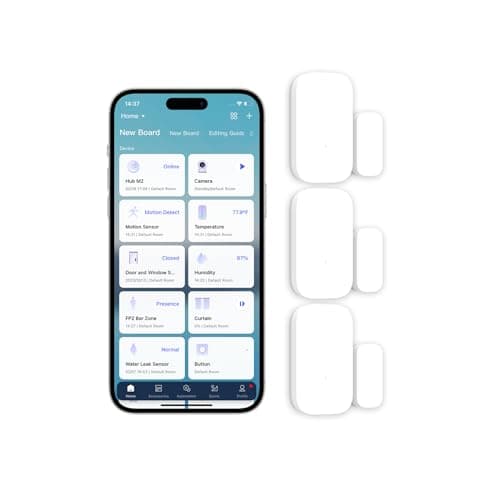
| Aqara Door and Window Sensor | Aqara hub | 3-pack | Open / closed | 1x CR1632 each |
|---|
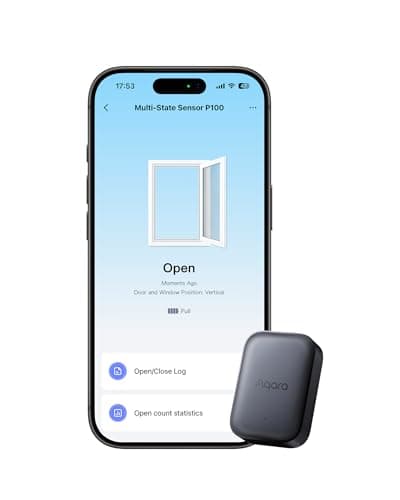
| Aqara Multi-State Sensor P100 | Aqara hub, or Thread border router | Single | Open / closed + vibration, 10 levels | Coin cell |
|---|
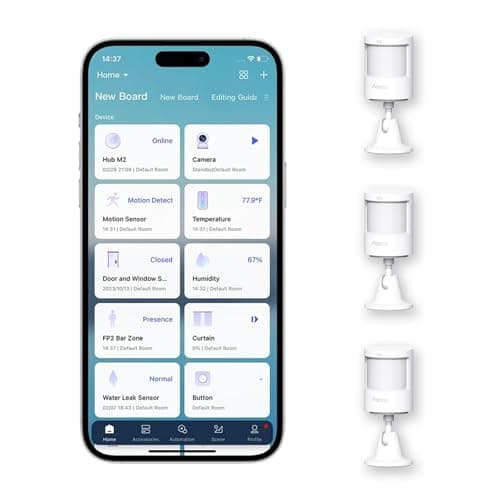
| Aqara Motion Sensor P1 | Aqara hub | 3-pack | Motion | Coin cell |
|---|
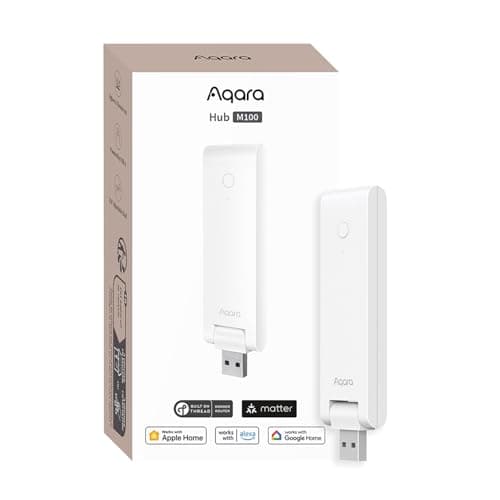
| Aqara Hub M100 | It is the coordinator | Single | — | Mains |
|---|
Which one your setup points to
You run Home Assistant, Hubitat or SmartThings, or intend to: THIRDREALITY. Plain Zigbee, fully local, no vendor account, and widely documented in exactly the communities where this category's real information lives. The honest cons: the body is physically larger than the Aqara units, so check narrow window sashes before ordering, and it assumes you already run a Zigbee stick or hub — outside a self-hosted setup a plain Zigbee device does nothing at all.
You are covering the whole ground floor: the Aqara three-pack, which is the budget pick. It covers the most openings in a single order and uses the smallest sensor body on this page, which matters on a narrow sash. On cost per opening it and the THIRDREALITY two-pack are close enough that the live cards should decide it — read them rather than this sentence. The cons are real and worth stating: these are Zigbee endpoints bound to an Aqara hub, so on their own they connect to nothing, and the hub is a separate purchase. They are also Zigbee rather than Thread, so they reach a Matter fabric through Aqara's bridge rather than joining it directly.
The window is the weak point, not the door: the Aqara Multi-State Sensor P100. Contact and vibration in one body with ten sensitivity levels means you can tune out a rattly sash instead of disabling the sensor, and it doubles as a movement detector for a safe or a tool chest. The con is one we will not soften: vibration sensing on the frame is not acoustic glass-break detection, and it will miss a pane broken cleanly at a far corner. If that is your threat model, the acoustic field is in best glass break sensors.
You want the mesh to do more than doors: the Aqara Motion Sensor P1 three-pack. Interior motion is the layer that catches someone already inside, and running it on the same Zigbee mesh costs nothing extra in infrastructure. Its con is the same Aqara-hub dependency as the contact sensors, and motion sensors generate far more events than contacts do, which is worth knowing before you wire them to a siren.
You own no coordinator at all: the Aqara Hub M100, which is the cheapest honest way to start. Its limitation is the obvious one: it is an Aqara coordinator, so it pushes you toward the vendor-anchored path above. If you expect to end up on Home Assistant anyway, a generic Zigbee stick plus THIRDREALITY sensors is the better long game, and the bigger hub comparison covers that choice properly.
What a Zigbee sensor estate actually costs
Three numbers, and only one of them is the sensor price. The first is cost per opening times the number of openings you care about. Write down the real count before shopping — ground-floor windows, the back door, the side gate, the garage pedestrian door — because it is usually eight to ten, and multi-packs win decisively at that scale.
The second is the coordinator, which is a one-off purchase you own rather than a subscription. None of these sensors carries a monthly fee; Zigbee has no cloud in the path at all when the coordinator is local. That is the whole argument for this protocol over a Wi-Fi sensor, and it is laid out in door and window sensors without a subscription.
The third is cells. Contact sensors have the best battery profile in home security because they only transmit on a state change, so coin cells last years rather than months. Two cautions anyway: check the cell is a type you can buy locally — CR2032 is everywhere, CR1632 less so — and remember that ten sensors on a two-year cell is five battery changes a year once you average it out.
Mesh behavior, and the one mistake that causes most Zigbee complaints
Zigbee is a mesh, and the mesh is built by mains-powered devices, not by battery ones. Contact sensors are sleepy end devices: they wake, transmit and go back to sleep, and they never route traffic for anybody else. So a house with twelve battery sensors and one coordinator has no mesh at all — it has a star, and the far corners of it will be unreliable.
The fix is cheap and almost nobody mentions it: add at least one mains-powered Zigbee device (a smart plug or a mains sensor) roughly halfway to the problem area, and it becomes a router that extends coverage for everything beyond it. If sensors drop off the network after a working install rather than at install, that is very often what has happened, and the rest of the diagnosis is in our dropout troubleshooting guide.
The second most common complaint is interference. Zigbee and 2.4GHz Wi-Fi share a band, and a coordinator sitting on top of a router is the worst place for it. Move the coordinator a metre away and, if your router allows it, pin Wi-Fi to a channel that does not overlap the Zigbee one. That single change fixes more "Zigbee is unreliable" reports than any hardware swap.